度身訂造適合您的網站,已成功設計 6000+ 公司網站,大量客戶真實好評

![Xiaohongshu (rednote login pc) website login in Hong Kong [Official Rednote link Entrance]](../attachment/blog/1790676265734-zvms82qye_20260929_180429_65a46a37ba336418.jpeg)
Where can I log in to the Xiaohongshu website in Hong Kong?Xiaohongshu doesn't have a separate website for a Hong Kong version,but you can directly use the globally recognized official website to browse content from Hong Kong.(rednote login pc)The official login portal for the Xiaohongshu online version is:https://www.xiaohongshu.com/explore!
Main entry for general users(official website):https://www.xiaohongshu.com.Open your browser and enter this URL to access the Xiaohongshu website homepage.Click"Log in"in the upper right corner.Login via mobile phone verification code,WeChat QR code,etc.,is supported.After logging in,you can browse your personal homepage,favorites,and followed content,which is synchronized with your app data.
Discover Page Entry:https://www.xiaohongshu.com/explore,which directly accesses the Xiaohongshu web version of the"Discover"page to browse curated community content.You can view public content even when not logged in.
Creator Center Login Entry:https://creator.xiaohongshu.com/login,suitable for content creators to log in,publish notes,manage content,and view data.
Enterprise Account Login Entry:https://pro.xiaohongshu.com/ares/login,for enterprise users only,used for enterprise account management.
Live Stream Login Entry:https://www.xiaohongshu.com/zhibo/login,for live streamers only,allowing them to perform live stream-related operations.
How to log in,browse,and publish on the Xiaohongshu official website web version using a computer?
1.Desktop Mode
Official Website:http://www.xiaohongshu.com
Xiaohongshu Desktop can be added to your desktop in browsers like Chrome and Edge(or click"More"in the bottom left corner--Add Xiaohongshu to Desktop),essentially turning it into a desktop application,eliminating the need to open the browser each time.Double-click the desktop icon to open it;both Windows and Mac are supported.
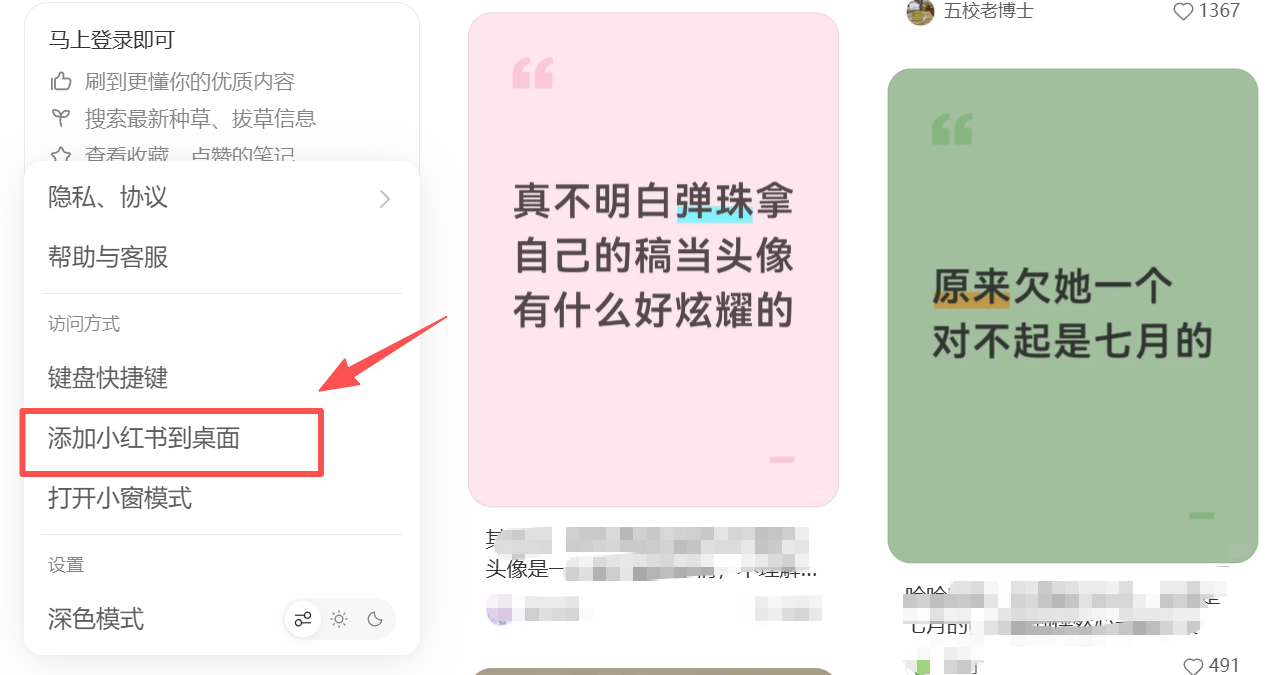
2.Small Window Mode
Click"More"in the bottom left corner and select"Small Window Mode."Xiaohongshu will become an independent floating window,displaying a separate interface.This mode's overall layout is more like the mobile version.
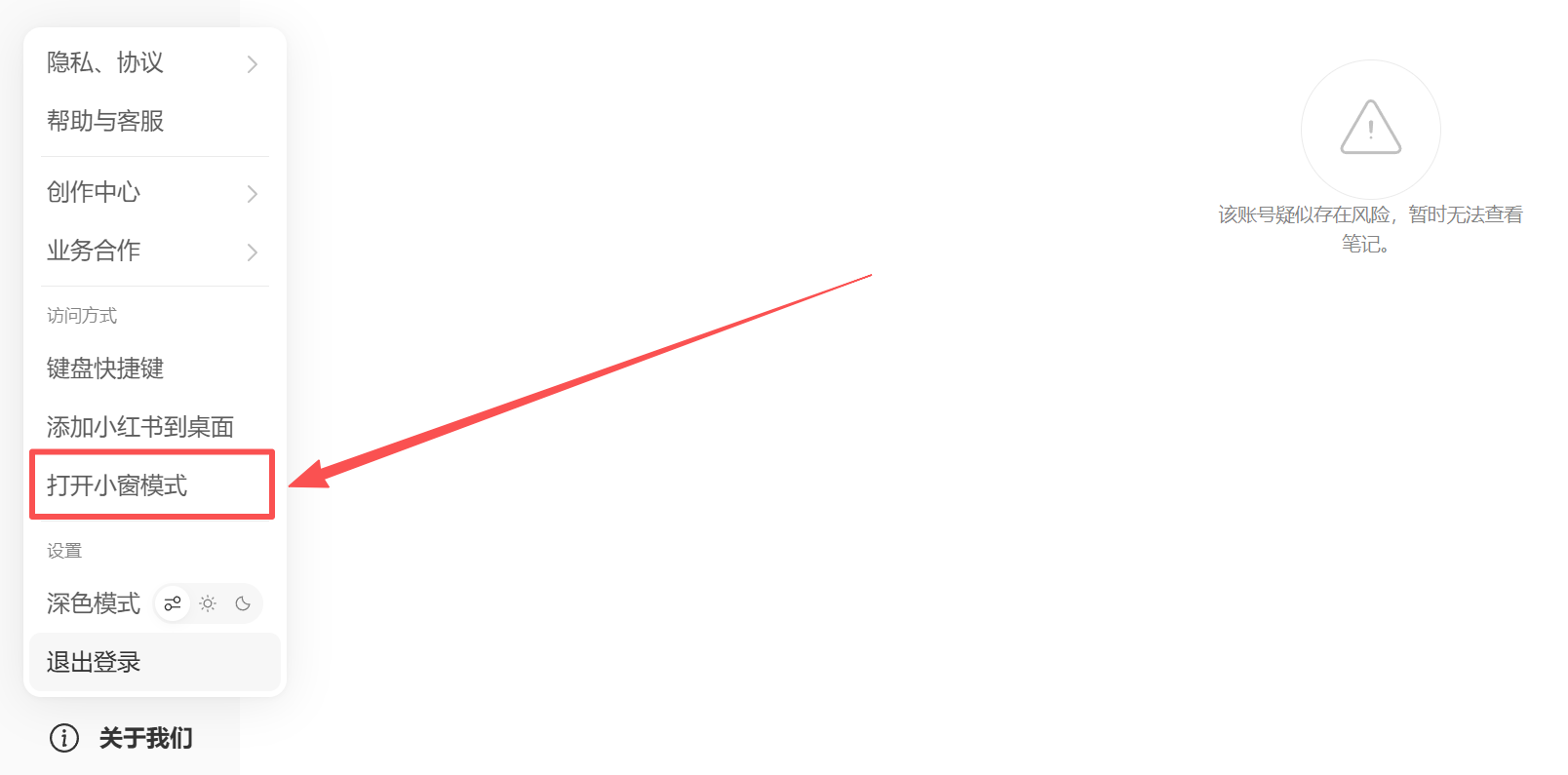
3.Dark Mode
Click"More"in the bottom left corner and select"Dark Mode."The entire interface will change to a darker tone,more suitable for browsing at night and easier on the eyes.
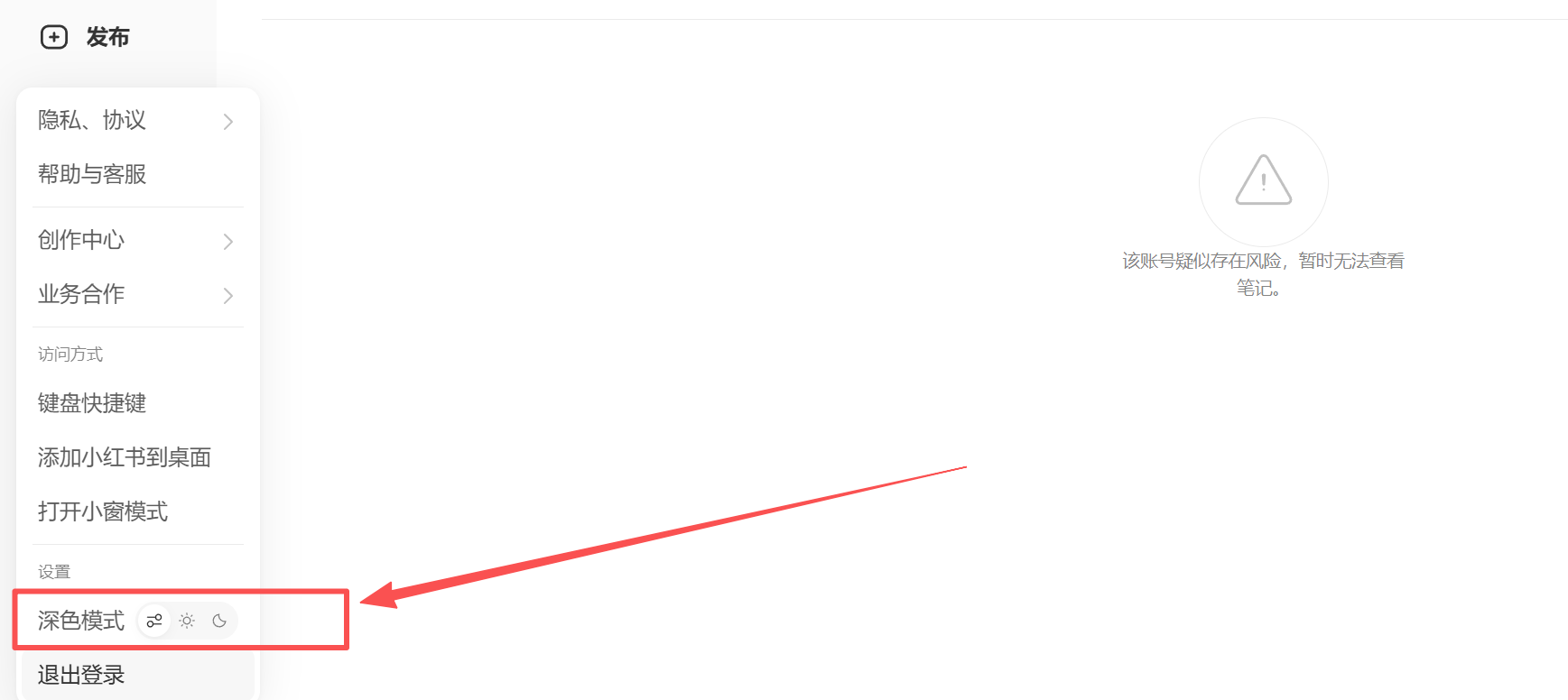
4.Creation Center
Clicking the Creation Center in the upper right corner provides one-click access to creation services,live stream management,and the PC live stream assistant,making it even more convenient.
The Creation Center also supports note-based data and fan data analysis.However,you need more than 50 fans to see these features.
East Point's marketing experts provide professional Xiaohongshu (Little Red Book) marketing solutions, conduct in-depth brand analysis to understand the brand's core values, target users, and market positioning, design highly targeted marketing plans, and write notes that fit the brand's tone, making business operations more efficient!
Hotline: 2331 3344
Whatsapp: 94401313
Email: sales@easttech.com.hk